ZenMenu
ZenMenu turns any folder into a tidy, nested tray menu. Left-click the tray icon to reveal your file tree, jump into folders, or open files instantly with their default apps.
Folder-first navigation
Browse complex structures without opening Explorer windows.
Depth controls
Keep menus fast and readable with configurable scan depth.
Smart filtering
Hide file types or folders you do not want to display.
Instant launch
Open files directly in their associated applications.
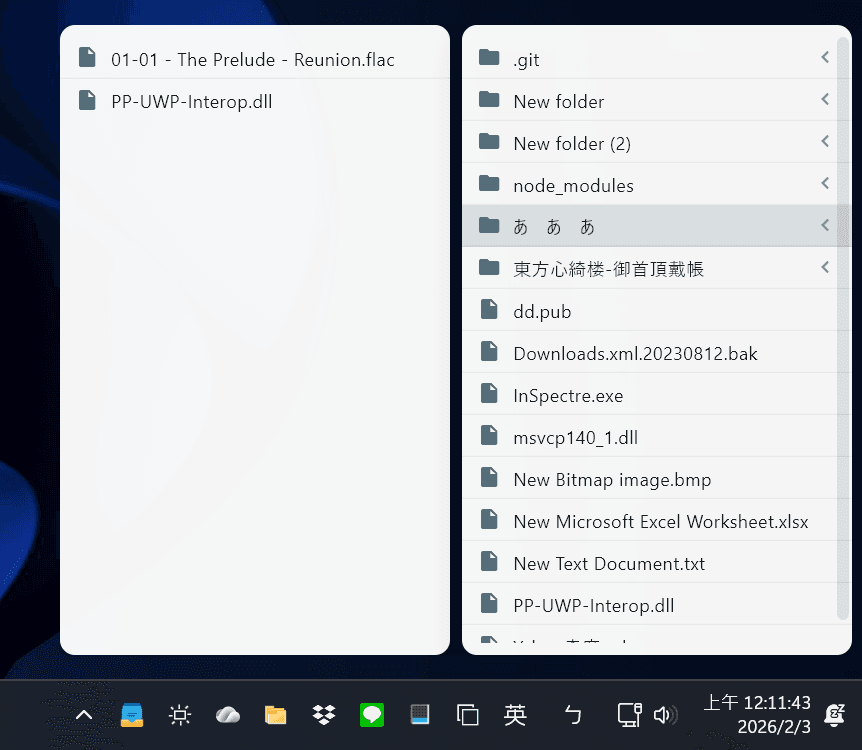
Left-click the tray icon to open the nested menu.
How It Works
Point ZenMenu at a root folder, and it mirrors the structure into a tray-accessible menu.
Choose a root folder to scan.
Set a maximum depth (recommended: 5 or less).
Left-click the tray icon to open the nested menu.
Click folders to open Explorer; click files to open their apps.
Example Folder Structure
This is the kind of tree ZenMenu can mirror in the tray:
C:\TEMP
|-- dd.pub
|-- Downloads.xml.20230812.bak
|-- InSpectre.exe
|-- msvcp140_1.dll
|-- New Bitmap image.bmp
|-- New Microsoft Excel Worksheet.xlsx
|-- New Text Document.txt
|-- PP-UWP-Interop.dll
|-- Yahoo-Home.url
|-- .git\
|-- New folder\
|   |-- Yahoo! Shopping - LINE Account PayPay.url
|   \-- New folder\
|       \-- New Microsoft PowerPoint Presentation.pptx
|-- New folder (2)\
|   \-- New Text Document.txt
|-- node_modules\
|-- samples\
|   |-- 01-01 - The Prelude - Reunion.flac
|   \-- PP-UWP-Interop.dll
\-- Touhou Title Collection\
Setup
Install & Launch
- Download the released package for ZenMenu.
- Install and run zenmenu.exe.
- Look for the ZenMenu tray icon on the Windows taskbar.
Left-click
Open the nested folder menu.
Right-click
Open Settings, About, or Exit.
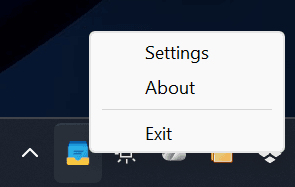
Right-click the tray icon to open Settings, About, or Exit.
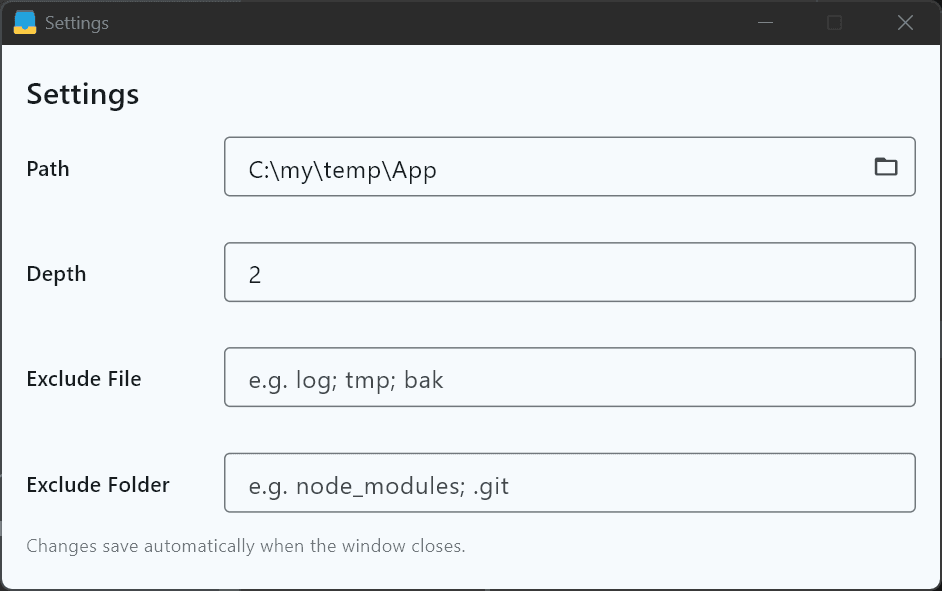
Configure scan path, depth, and filters.
Settings
Configuration
Path
Root folder that becomes the tray menu.
Depth
Maximum nested folder depth. Recommended: 5 or less.
Exclude File
Hide files by suffix. Use semicolons to separate values.
Exclude Folder
Hide folders by suffix. Use semicolons to separate values.
Support
Donate
If ZenMenu helps your workflow and you would like to support continued development, donations are appreciated.
Crypto Addresses
Sponsor Log
Thank you for every contribution.